M4Markets (m4markets.com) is a forex and CFD broker featured in this comparison alongside four established competitors: IG, Plus500, eToro and Pepperstone. Each is reviewed for how well it suits mobile trading. Disclosure: M4Markets is the featured/affiliated brand of this site and is included for context, so this is a featured brand comparison rather than an impartial ranking.
The article is for readers who want to compare app availability, platform choice, regulation, costs and regional leverage limits before opening an account. The criteria are set out below. CFDs are complex, high-risk leveraged products, and a high percentage of retail accounts lose money.
Quick Comparison Table
| Broker | Min Deposit | EUR/USD Spread | Max Leverage | Regulation | Platforms |
|---|---|---|---|---|---|
| M4Markets (featured) | — | — | Varies by entity and region | Varies by entity; verify the licence for your region | MetaTrader 4, MetaTrader 5 |
| IG | — | — | 30:1 on major FX for retail clients in the UK, EU and Australia; other regions vary | FCA (UK) and other regulators by region | Proprietary web and mobile platform, MetaTrader 4, ProRealTime, TradingView |
| Plus500 | — | — | 30:1 on major FX for retail clients in the UK, EU and Australia; other regions vary | FCA (UK), CySEC and other regulators by region | Proprietary web and mobile platform |
| eToro | — | — | 30:1 on major FX for retail clients in the UK, EU and Australia; other regions vary | FCA (UK), CySEC, ASIC and others by region | Proprietary web platform and mobile app |
| Pepperstone | — | — | 30:1 on major FX for retail clients in the UK, EU and Australia; other regions vary | FCA (UK), ASIC and other regulators by region | MetaTrader 4, MetaTrader 5, cTrader, TradingView, proprietary mobile app |
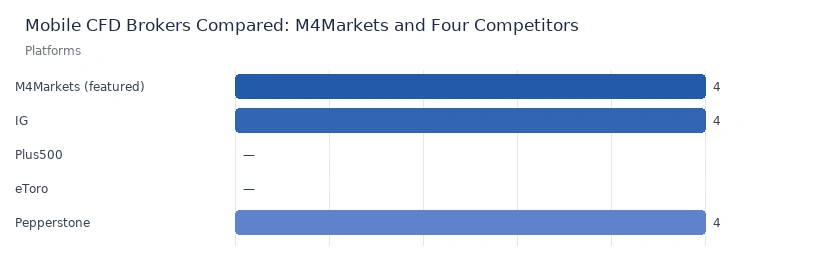
An em dash means the figure was not compiled for this article. Minimum deposits and spreads change by account type, entity, region and market conditions, so check each broker's current terms before relying on any number.
How We Compared These CFD Brokers
The brokers were assessed against editorial criteria focused on mobile use, with an emphasis on facts that can be checked on each broker's own site and on regulator registers. M4Markets is the featured and affiliated brand of this site. It is listed first for that reason, not because of a performance ranking, and where a competitor is stronger on a criterion we say so.
- Regulation and entity transparency: which regulators supervise which entity, and whether the client's region is clearly covered.
- Mobile platform range: proprietary apps, MetaTrader mobile terminals and other mobile-capable platforms.
- Cost visibility: how clearly minimum deposits, spreads and commissions are published.
- Leverage and protections: regional leverage caps and negative-balance protection.
- Operating history and product range: founding year, account types and available markets.
Broker Review Details
1. M4Markets — featured brand with MetaTrader mobile access
M4Markets is a forex and CFD broker founded in 2015 and is the featured/affiliated brand in this comparison. Its main attribute for mobile traders is support for both MetaTrader 4 and MetaTrader 5. Both have iOS and Android terminals, so a trader can use the same interface on a phone as on a desktop.
Licensing is organised by entity, and the entity serving a client depends on the client's country. Readers should check the legal documents and the relevant regulator register for the exact entity before registering.
| Founded | Regulation | Min Deposit | Spread | Leverage | Platforms |
|---|---|---|---|---|---|
| 2015 | Varies by entity and region; verify on the regulator register | — | — | Varies by entity and region | MetaTrader 4, MetaTrader 5 |
Pros
- Operating since 2015.
- Offers both MetaTrader 4 and MetaTrader 5, each with mobile terminals.
- A familiar interface across desktop, web and phone for existing MetaTrader users.
Cons
- Licence coverage differs from competitors holding FCA or ASIC authorisation. Some entities may sit outside Tier-1 supervision, so clients must confirm which regulator applies to them. As the featured brand, M4Markets should be read with that relationship in mind.
- No proprietary app with built-in social or copy features comparable to eToro's.
Best for: traders who already use MetaTrader and want the same platform on mobile.
2. IG — long-established broker with a proprietary mobile app
IG was founded in 1974 and is among the longest-running names in retail CFD trading. It offers its own web and mobile platform and supports several third-party platforms, including MetaTrader 4, ProRealTime and TradingView, depending on the region. It is authorised by the FCA in the UK and by other regulators elsewhere. On regulatory breadth and operating history, IG is objectively stronger than M4Markets in this comparison.
| Founded | Regulation | Min Deposit | Spread | Leverage | Platforms |
|---|---|---|---|---|---|
| 1974 | FCA (UK) and other regulators by region | — | — | 30:1 on major FX for retail clients in the UK, EU and Australia | Proprietary platform and app, MetaTrader 4, ProRealTime, TradingView |
Pros
- Operating history of decades.
- Authorisation from several regulators, including the FCA.
- A proprietary mobile app plus several third-party platform options.
Cons
- Costs vary by market and account, so compare live pricing rather than headline figures.
- Platform availability differs by region, and not every option is offered everywhere.
Best for: traders who prioritise regulatory depth and a broad market list inside a single app.
3. Plus500 — proprietary platform built around its own app
Plus500 was founded in 2008, and its parent company is listed on the London Stock Exchange. It runs its own web and mobile trading platform rather than MetaTrader. It is authorised by regulators including the FCA and CySEC, with entities varying by region. Its mobile app is central to the offering, so there is one interface to learn.
| Founded | Regulation | Min Deposit | Spread | Leverage | Platforms |
|---|---|---|---|---|---|
| 2008 | FCA (UK), CySEC and other regulators by region | — | — | 30:1 on major FX for retail clients in the UK, EU and Australia | Proprietary web and mobile platform |
Pros
- A single proprietary platform on web and mobile.
- Parent company listed on the London Stock Exchange.
- Authorised by several regulators depending on the entity.
Cons
- No MetaTrader support, which matters to traders who rely on its tools or automation.
- Fewer third-party platform choices than competitors such as Pepperstone.
Best for: traders who want a simple, self-contained app and do not need MetaTrader.
4. eToro — social and copy features inside the app
eToro was founded in 2007 and combines CFD access with a social trading layer in its web platform and mobile app. It is regulated by bodies including the FCA, CySEC and ASIC, depending on the entity. Its main distinguishing feature is copy trading, which M4Markets does not offer natively. Copy features do not reduce market risk, and copied results can be poor.
| Founded | Regulation | Min Deposit | Spread | Leverage | Platforms |
|---|---|---|---|---|---|
| 2007 | FCA (UK), CySEC, ASIC and others by region | — | — | 30:1 on major FX for retail clients in the UK, EU and Australia | Proprietary web platform and mobile app |
Pros
- Social and copy trading built into the app.
- Authorised by several regulators depending on the entity.
- A broad multi-asset product range in one app.
Cons
- Proprietary platform only, with no MetaTrader terminals.
- Product availability, including CFDs, differs by region, so check what your entity offers.
Best for: users who value a social feature set and a unified multi-asset app.
5. Pepperstone — widest platform choice for mobile
Pepperstone was founded in 2010 and offers MetaTrader 4, MetaTrader 5, cTrader and TradingView, plus its own mobile app. It is authorised by regulators including the FCA and ASIC, with other entities serving other regions. Some clients may be served by entities supervised outside Tier-1 jurisdictions, so verify yours. On platform breadth it is objectively stronger than M4Markets here.
| Founded | Regulation | Min Deposit | Spread | Leverage | Platforms |
|---|---|---|---|---|---|
| 2010 | FCA (UK), ASIC and other regulators by region | — | — | 30:1 on major FX for retail clients in the UK, EU and Australia | MetaTrader 4, MetaTrader 5, cTrader, TradingView, proprietary app |
Pros
- Several platforms with mobile access, including cTrader and TradingView.
- Authorised by the FCA and ASIC among others.
- Appeals to traders who want to switch between platforms.
Cons
- The licensing entity depends on region, and terms differ between entities.
- Choice can be confusing for newcomers deciding between four or five platforms.
Best for: traders who want to choose among several mobile-capable platforms.
Regional Availability and Leverage Caps
Retail CFDs are not available to US retail clients, and this article is not aimed at readers in jurisdictions where retail CFD marketing is restricted or prohibited. In the UK, EU and Australia, retail leverage on major forex pairs is capped at 30:1, with lower caps on other asset classes. Brokers must also provide negative-balance protection to retail clients in these regions.
Outside those regions, leverage can be much higher and protections may differ. Leveraged trading carries a high level of risk, and losses can exceed your initial deposit where negative-balance protection does not apply. Higher leverage amplifies losses as well as gains, and it is not a sign of a better broker.
What Mobile CFD Trading Involves in Practice
Trading from a phone changes the experience in specific ways. Screens are small, so charting and order tickets are simplified compared with desktop software. Notifications and one-tap order entry make it easy to act quickly, and that speed can lead to costly mistakes. Connectivity matters too, because a dropped signal during a volatile move can delay order changes.
When comparing mobile apps, look at which order types and risk tools are available on the phone itself. Check whether stop-loss and alert functions work in the app, and whether account funding, withdrawals and verification can be completed without a computer. Reviewing the app in a demo environment, where one is offered, shows these details without risking capital.
How to Choose a CFD Broker
Start with regulation. Identify the exact legal entity that will hold your account, find it on the regulator's public register, and read the client agreement. A licence does not remove risk, and not all regulators offer the same level of oversight. Offshore authorisation should not be treated as equivalent to Tier-1 supervision.
Next, check costs in full. Spreads, commissions, overnight financing, inactivity fees and withdrawal charges all affect what an account costs over time. Published minimum deposits and typical spreads often depend on account type, so compare like with like rather than headline figures.
Then consider platform and mobile fit. If you rely on MetaTrader tools, a broker without them may not suit you, whereas a proprietary app may be easier for someone new to CFDs. Confirm that the mobile version has the features you need.
Finally, review protections and support. Look for negative-balance protection, segregated client funds, clear complaint procedures and support hours that match your schedule. Treat any broker's marketing, including the featured brand's in this article, as a starting point for your own checks.
FAQ
Which CFD brokers are compared here, and how were they chosen?
This is a featured brand comparison of M4Markets, IG, Plus500, eToro and Pepperstone. M4Markets is the site's featured/affiliated brand, so the comparison is not impartial. The criteria were regulation, mobile platform range, cost visibility, leverage and protections, and operating history. Where a competitor is stronger on a criterion, the review says so.
Are CFDs suitable for mobile trading beginners?
CFDs are complex, leveraged products, and many retail accounts lose money, so they are not suitable for everyone. A mobile app makes trading convenient but also makes impulsive decisions easier. Anyone considering CFDs should understand margin, leverage and overnight costs first, and consider a demo account where available.
Can I use CFD brokers if I live in the United States?
Retail CFDs are not available to US retail clients, and this article is not directed at them. Availability elsewhere depends on local rules, the broker's licensed entity and your country of residence. Always check whether a broker is authorised to serve clients in your jurisdiction before registering.
Why are some figures in the table shown as dashes?
Minimum deposits and EUR/USD spreads differ by account type, entity, region and market conditions, and they change frequently. Rather than publish figures that may be outdated or misleading, this article shows a dash where a reliable current number was not compiled. Check each broker's official pages for current terms.
Final Considerations Before You Open an Account
A broker with a good mobile app is not necessarily the right broker for you. Confirm which entity and regulator apply to your region, compare total costs on the account type you would actually use, and test the app on a demo account where possible. Every broker in this article has trade-offs, and the featured brand, M4Markets, is no exception.
Past performance does not guarantee future results. This article is a featured brand comparison, not independent financial advice; eligibility and product availability vary by region. Only trade with money you can afford to lose.